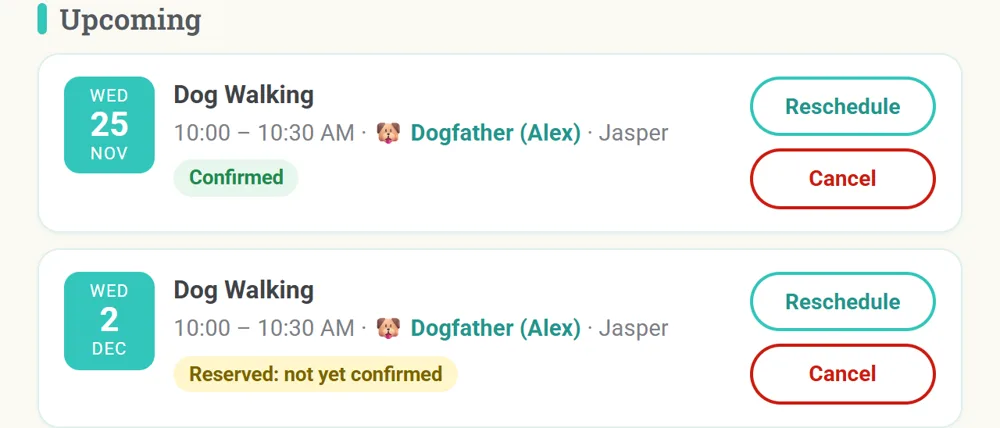
Every visit coming up, with Confirmed or Reserved on each. Past visits show as their love notes. Reserve again books something new, and what you owe is ready to pay.
Who sees it
Your main account holder, and a Parent with Book + change visits on, can book, move and cancel. Prices and paying show only with See + pay bills on. Family sees the visits without prices and can't change them. Our Pros see them without prices and can book, move and cancel for you. Our office sees it all.
How to use it
Tap Reserve again to book the same kind of visit, or browse our services.
Tap Reschedule to move a visit to another open time with the same Pro.
Tap Cancel to cancel. It tells you what happens to anything you paid.
Tap Pay now, or Pay all, to pay by card, bank transfer or Venmo.
Good to know
Unpaid visits can always be canceled, free.
A package visit you cancel goes back on your package.
A paid visit can be moved, or canceled and rebooked, online only with enough notice: 72 hours for a one-day visit, 60 days for a stay over several days or a wedding, 24 hours for VIPs.
Cancel a paid visit in time and you can rebook it within 6 months of its original date. Too late, and the payment is kept.
Social Club events can't be moved, and a paid one isn't refunded.
Nothing can be moved once it has started.
Booking with less than 24 hours' notice adds a short-notice fee. VIPs don't pay it.
Account credit comes off first. You can turn on automatic payments with a card.
A bank transfer takes 2 to 3 business days to clear.