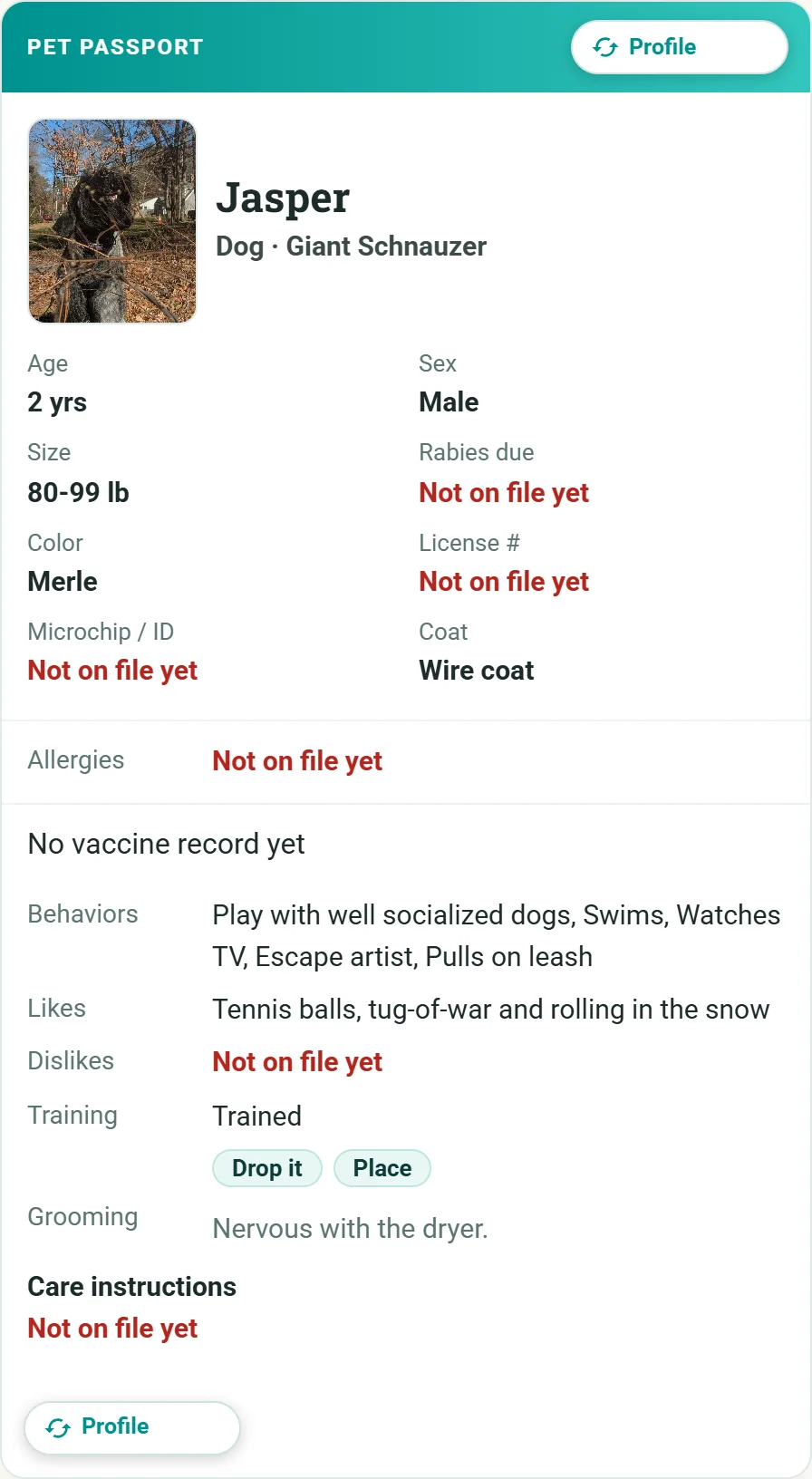
ID details (age, sex, size, rabies date, color, license, microchip, coat), vaccine records, allergies, medication, About me, behaviors, likes and dislikes, training, grooming and care instructions.
Who sees it
Your family, our Pros, partner Pros we've given view-only access, and our office. Never visitors. A Parent with Change the pets on, our Pros and our office can change it.
How to use it
Turn your pet's card over: tap Pet Passport.
Tap any line with a pencil to change just that one. Its question opens right under it: a choice saves when you tap it, typed words when you tap OK (or press Enter, or tap outside the box). The X in its corner (or Esc) leaves it as it was.
A blank line shows as your pet's question. Tap it to answer.
Tap the photo or the name to change them.
To change everything at once, tap Edit profile at the bottom right.
Good to know
Size and rabies are for dogs; license and coat for dogs and cats; microchip for every pet.
A size marked (estimate) is our best guess until you tell us their weight.
Medication has its own choice: Just my family + my Pros, or Everyone who sees my page.
Grooming shows the last groom and nail trim, and when the next are due: nails every 4 weeks; a haircut every 6 weeks for curly and wire coats, every 8 weeks for drop coats; a de-shed for double coats; no cut for short coats.
No care instructions for this pet? It points you to For all the pets, which covers every pet in your home.
Anyone who can only look sees Not on file yet, in red, where something is missing.
History, at the bottom, lists what changed, when and who did it, newest first. Your family and our office can read it. Changed by mistake? Our office can put it back.