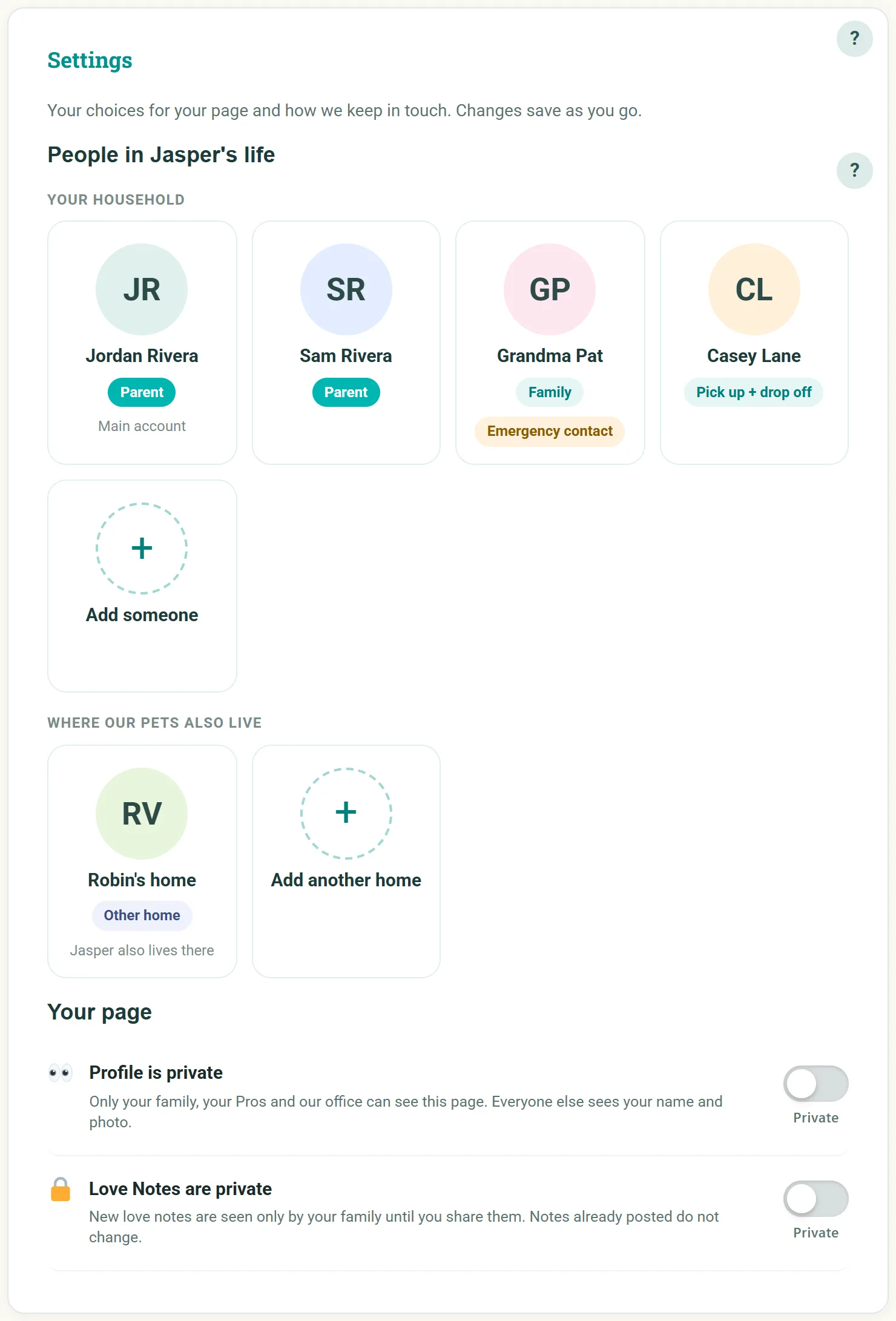
Its own tab on your page. People shows everyone in your pets' lives; tap someone to see what they can do, how we reach them and what we send them. Your page holds who can see your page and whether new love notes start private.
Who sees it
Your family and our office. Family can look; a Parent with Change the pets on can change it. A Pro who looks after your pets sees the people and can help add them, but never sees contact details or message switches.
How to use it
Tap the Settings tab.
Tap a person to open their card: what they can do, how we reach them, and what we send them (love notes, visit reminders, bills, news), each by text or email.
Tap Add someone to find a person who has an account by the name of one of their pets, or add someone by name. Add another home has its own tile under Where our pets also live.
Under Your page: Profile is private shows your page only to your family, our Pros and our office. Love Notes are private makes new love notes start private.
On a Parent's card, the main account holder sets what they can do: Change the pets, Book + change visits, See + pay bills. All three start on.
Good to know
Changes save as you go.
Texting with our team always stays on for your main contact. It's how we reach you.
A Text or Email switch stays gray until that person has a mobile or email on file.
A Parent with Change the pets turned on, or our office, can change who is on the list. Only the main account holder, or our office, can take someone off or set what a Parent can do. The main account always stays a Parent.
Waiting comes first: requests that need your answer, requests you sent, and invites.
A private page is left out of Friends and Neighbors, and its Share button is hidden.