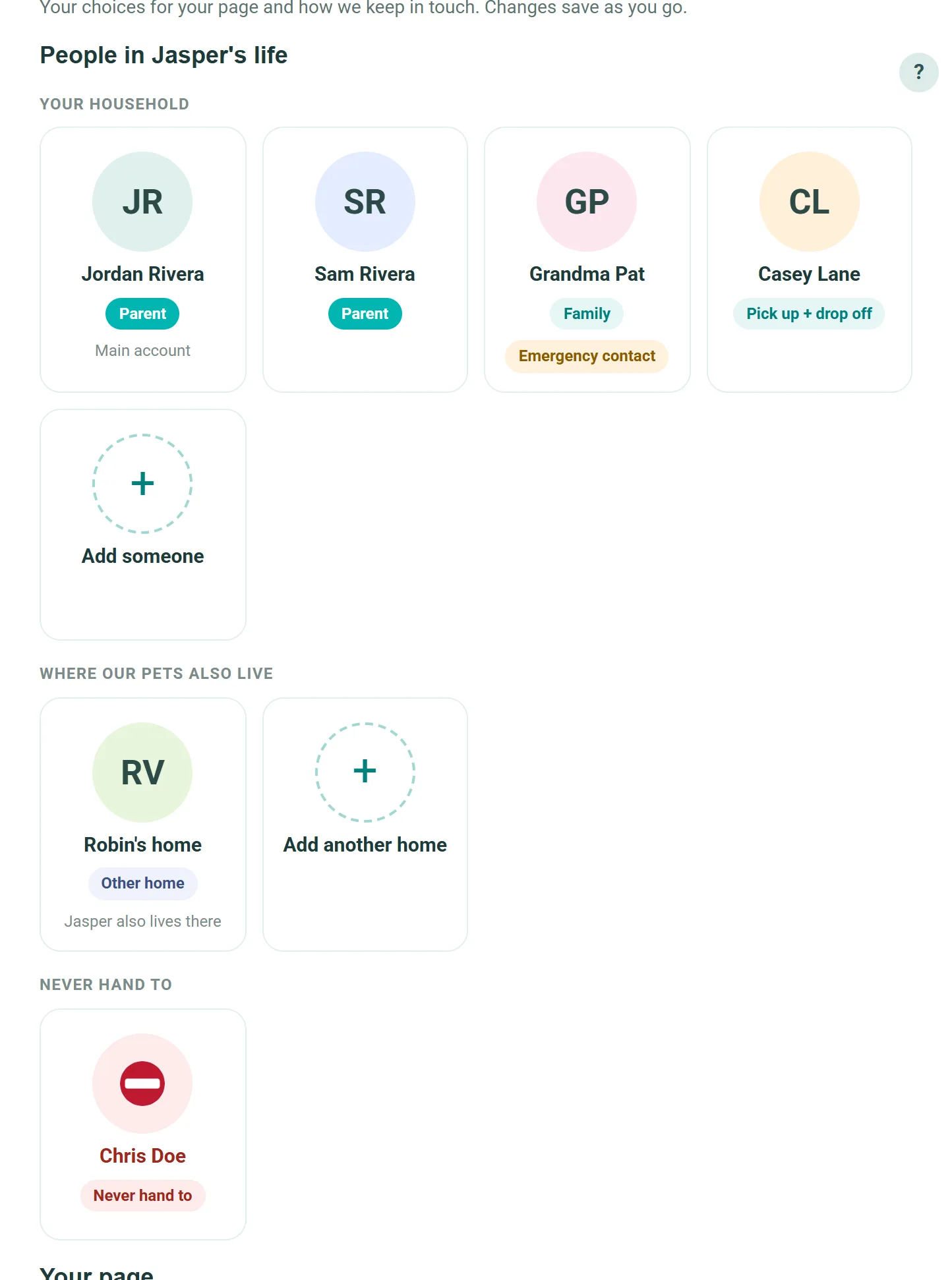
On the Settings tab, People lists everyone in your household, any other home your pet also lives at, and anyone we must never hand your pet to.
Who sees it
A Parent with Change the pets on (it starts on; your main account holder can turn it off), a Pro who looks after your pets, or our office can add people and change them. Only the main account holder, or our office, can take someone off or ask to make two households one. Everyone else in your household can read it.
How to use it
On the Settings tab, tap Add someone and find them by one of their pets' names. Pick who they are to your pets - Family or Pick up + drop off - and whether we call them in an emergency, then ask. Once they say yes, they're in. If you aren't the main account holder, it goes to them to OK first.
Family sees everything but the codes for getting in (door, alarm, lockbox, wifi) - only Parents, our Pros and our office see those. Family can pick up and drop off; Pick up + drop off may only do that.
Not on Lindsay Loves Pets? Choose Add them by name. Neither needs an account - or invite them to make their own login.
A Parent needs their own login: once they're in, tap them and make them a Parent. Your main account holder then sets what they can do: Change the pets, Book + change visits, See + pay bills.
Anyone can be an emergency contact - choose it when you add them, or tap them after.
Your pet also lives at another home? Under Where our pets also live, tap Add another home, find their household by one of their pets' names, and ask. Once their main account holder says yes, your pet belongs to both homes: the Parents there can change it, their people can pick it up, and each home pays its own bills.
One family with two accounts? Your main account holder taps Add someone, finds the other household, then More options - Make our two households one. Their main account holder says yes and picks which household stays. Our office can undo it for 30 days.
A request ends after 30 days. After No thanks, the same household waits 30 days to ask again.
Someone we must never hand your pet to? Choose Add them by name, then More options, then Never hand a pet to.
Tap a name to change it, take it off, or step away from a pet you share. Under You also belong to, tap a household to leave it. You can always leave a household yourself.
Good to know
The other home needs its own Lindsay Loves Pets account. No account yet? Choose Not on Lindsay Loves Pets yet? to make them an invite link.
Someone asks you? It shows first on your page, in your pet's question, and under Waiting here. Only the main account holder can say yes or no, or our office if they ask us to.
The main account holder always stays a Parent, and your household needs at least one Parent.
Another home and Never hand to cover all your pets unless you tap Only some pets?
Each home also sees the other's shared love notes.